
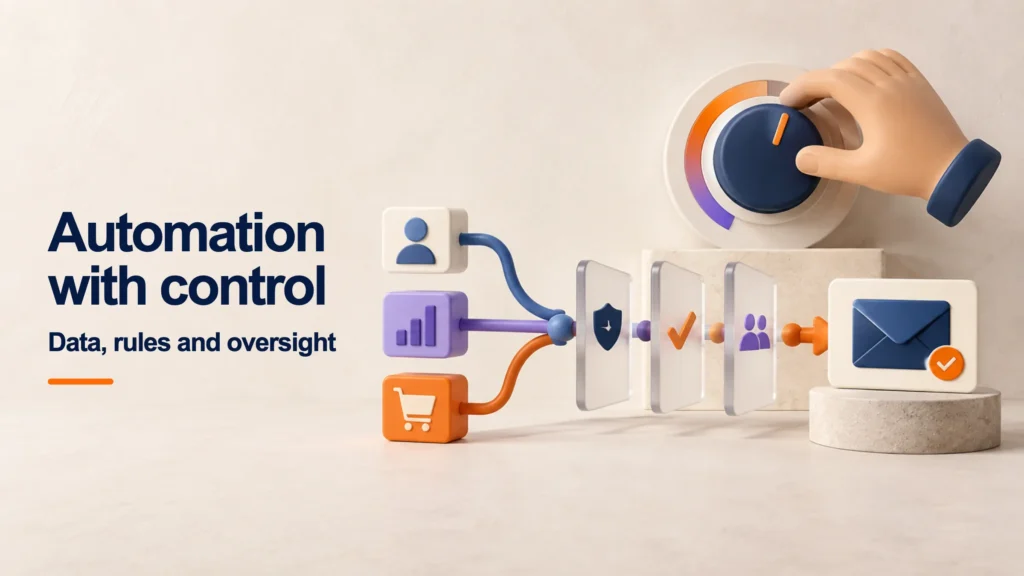
Marketing automation involves executing tasks based on predefined events, conditions, and rules.. You can coordinate a welcome message, assign a request, or stop a follow-up when the contact's status changes. Its effectiveness depends on data, permissions, exceptions, and monitoring. It doesn't equate to sending more messages, nor does it require artificial intelligence to be useful.
The starting point isn't choosing the platform with the most features. It's identifying a repetitive task that's being done late, inconsistently, or with too many errors. Automating a confusing process multiplies its errors and spreads them faster.
This guide proposes a way to design understandable and verifiable workflows. The examples are hypothetical and do not describe the capabilities of a specific product or results obtained by SEOMOS.
What is marketing automation and how does it work?
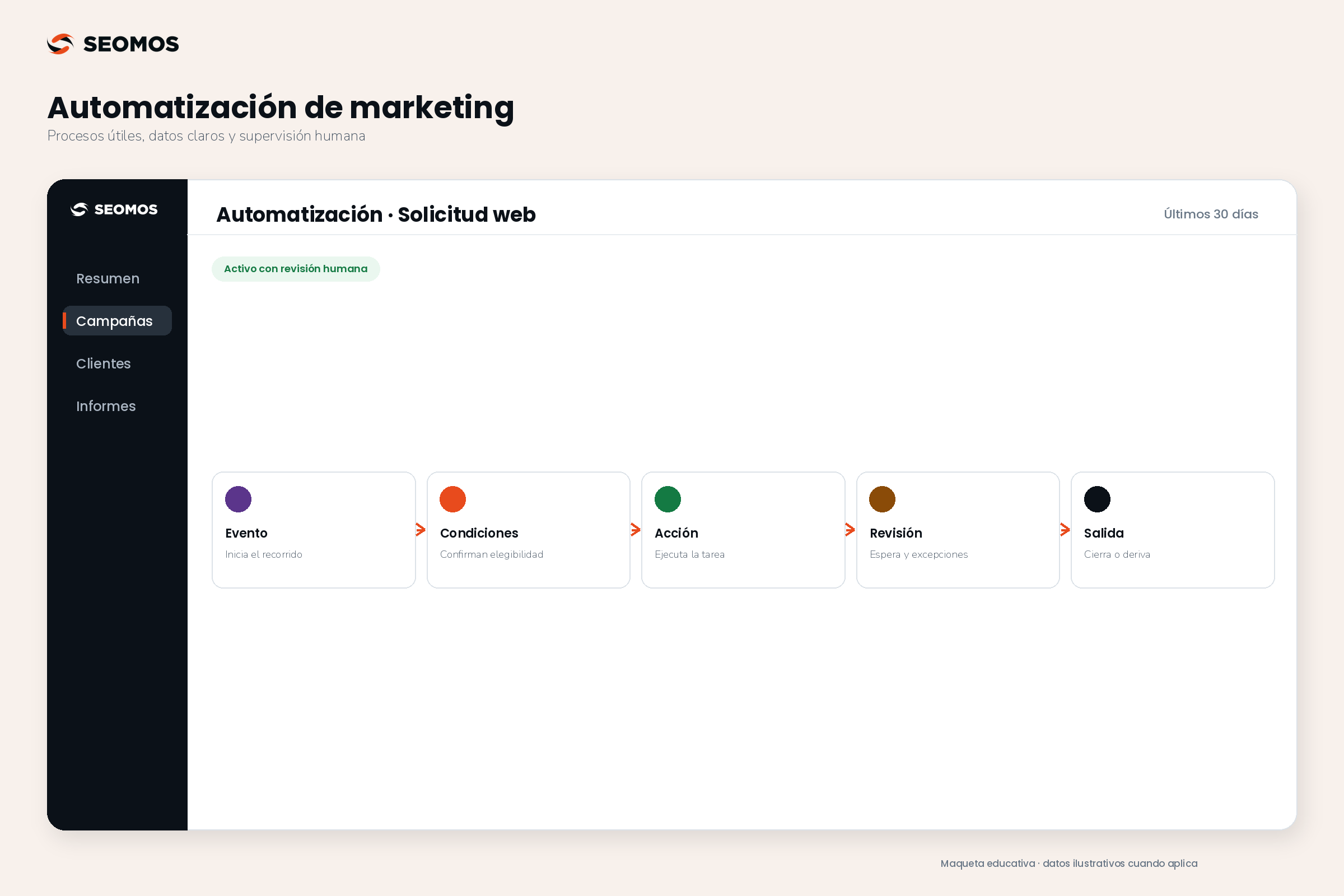
A flow connects an event to a response. For example: a person requests a demo; the system checks that the request is complete; creates a task for the responsible party and records the next step. It can then close the flow if the request has been fulfilled.
The platforms use different names, but they typically separate triggers, rules, actions, and exit conditions. Mailchimp's documentation describes this structure for its automated journeys. The specific features and their limitations depend on each tool's plan and integrations. Source: Mailchimp automation workflows.
| Component | Ask | Example of a decision |
|---|---|---|
| Event | What starts the journey? | A valid request arrives from a form. |
| Conditions | Who can enter and under what circumstances? | There is no other open request for the same matter. |
| Action | What needs to happen? | Assign responsibility and prepare the relevant confirmation. |
| Wait | When will it be re-evaluated? | Within the defined timeframe for reviewing the care. |
| Exit | What stops the journey? | The request is processed, cancelled, or no longer eligible. |
| Exception | What happens if something goes wrong? | Notify a person without repeating messages to the contact. |
An event and a condition are not the same thing. «Just submitted the form» describes a fact; «belongs to the business segment» describes a state. Confusing them can lead to enrolling old contacts when you only intended to act on new applications. HubSpot explicitly distinguishes between event-based and filter-based triggers. Source: HubSpot's enrollment criteria.
Automation, CRM and artificial intelligence: differences
CRM organizes information and tracks relationships with customers and prospects. Automation coordinates tasks based on that information. Artificial intelligence can classify text or suggest a draft, but it doesn't replace defining who can receive it or when it should be sent.
To route requests based on a user-selected field, a simple rule might suffice. Incorporating an AI model into that decision adds costs, variability, and revisions without necessarily improving the outcome. In contrast, summarizing long messages to facilitate human review can be a useful use case, provided the data processing and the tool are authorized.
It's also important to distinguish between scheduling and automation. Publishing a piece on Tuesday at nine runs a schedule. Adapting a route based on a request, response, or cancellation uses process information. Both can save work, but they require different controls.
Which processes should be automated first?
Start with frequent, predictable, and easily verifiable tasks. Before building anything, observe the manual process and note where information is lost. A small workflow with one person responsible is often more useful than a long sequence that no one can explain.
- Application reception: Check the required fields and assign the request to the appropriate team.
- Internal reminders: Notify when a task is still pending, without automatically contacting the customer for each delay.
- Relevant welcome: Submit the requested information and explain the next step within the corresponding permit.
- Opportunity tracking: prepare a task when there is an outstanding contact commitment.
- Data control: to detect incomplete records or possible duplicates for review.
Not all follow-up needs to become a sequence of messages. A complaint, a negotiation, or a sensitive situation may require personal attention from the outset. It's also preferable to wait if the data source is constantly changing or if each team member interprets a contact's status differently.
When the source is a campaign, first check the landing page and its form. A subsequent flow cannot compensate for a vague promise or a request that is never saved.
Data, permissions, and exits before sending messages
Define a small data dictionary: what each status means, where it comes from, who can change it, and which system is the reference when two tools disagree. "Customer" shouldn't mean a signed contract in one system and simply a completed form in another.
It also identifies the appropriate permission for each communication and channel. Someone requesting information should not automatically become authorization for any future campaign. Mailchimp requires permission for mailings sent through its service and advises against assuming it based on a purchased list or third-party sources. This is a platform requirement, not a set of all the laws in the world. Source: Importance of permission in Mailchimp.
As an operational principle, it retains the origin and date of authorization where applicable, allows for preference management, and rechecks eligibility before each send. If a contact unsubscribes, simply preventing new submissions is not enough: you must review what happens to the steps that were already scheduled.
Limit access and data to what's necessary. Don't copy sensitive information onto spreadsheets, internal messages, or into AI tools for convenience. If the flow feeds into analytics, avoid sending personally identifiable information, such as emails or phone numbers, in event or page addresses. Source: Google Analytics privacy practices. For specific regulatory requirements, validate the market and the processing with the privacy officer or specialized advisor.
How to design an automation step by step
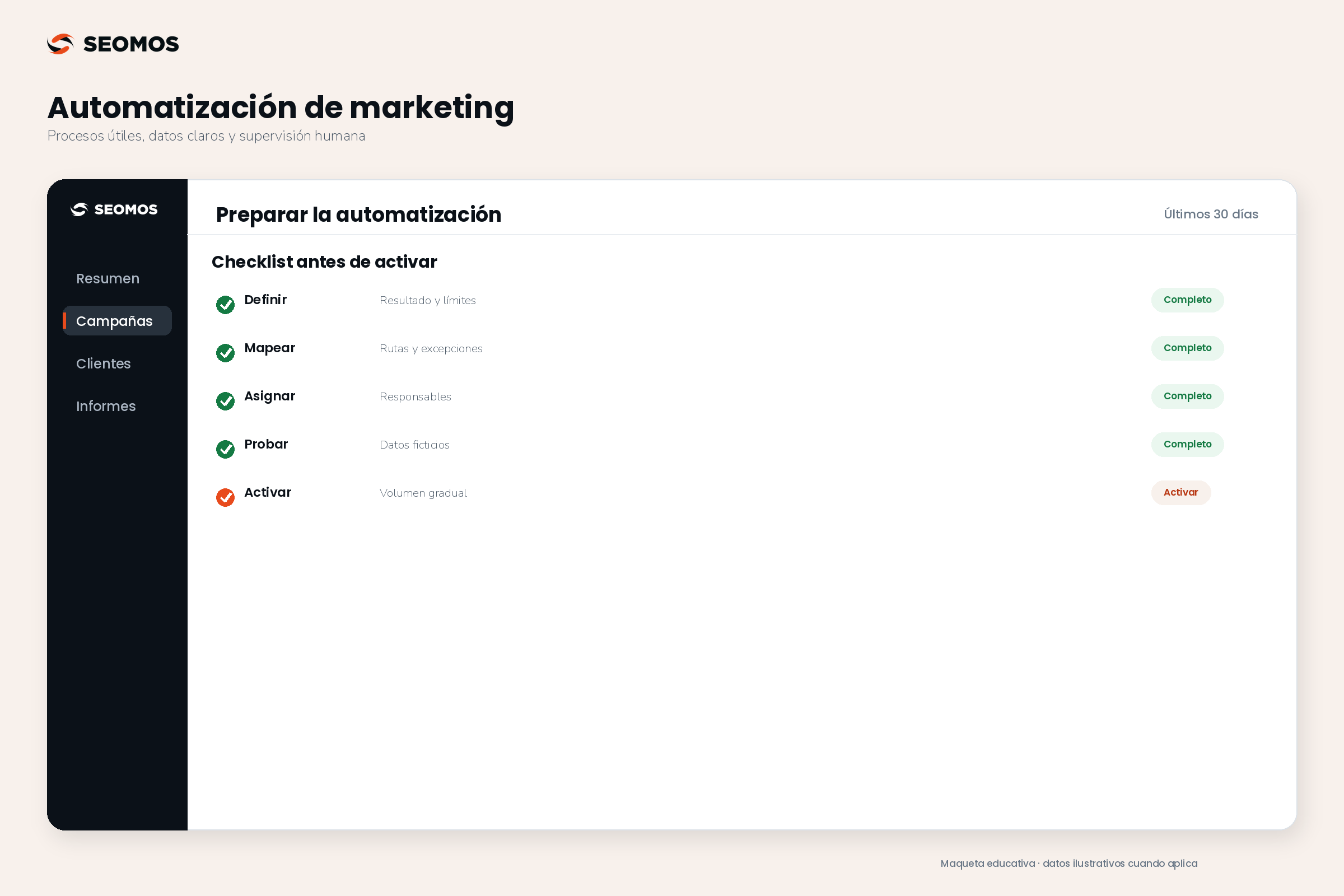
1. Define the result and the limits
Describe what needs improvement: reducing unassigned requests, meeting response deadlines, or decreasing registration errors. Add what the system cannot do. For example, modifying a quote or promising availability without authorized verification.
2. Draw the actual process
It includes input, conditions, action, wait, exit, and exception. It asks what happens if the same event occurs twice, if the person has already made a purchase, or if the responsible party is absent. The route that works when everything goes well is only one part of the design.
3. Assign responsibilities and intervention rules
One person should be able to pause the workflow, and another should be able to resolve pending cases. Document who approves messages and who changes the rules. An alert without a recipient or a review deadline doesn't resolve the issue it detects.
4. Test with fictitious data
Simulate a successful registration, a duplicate, incomplete data, dropped communications, a response while on hold, and an integration failure. Check the final status in all involved tools. Do not use real contacts as silent campaign tests.
5. Activate gradually and review
Start with a small group and a manageable volume. Keep a record of the rules, review executions, and compare them to the previous situation. If the flow fails, a decision must be in place: pause, switch to manual intervention, or retry only when it's safe.
Example of marketing automation with exceptions
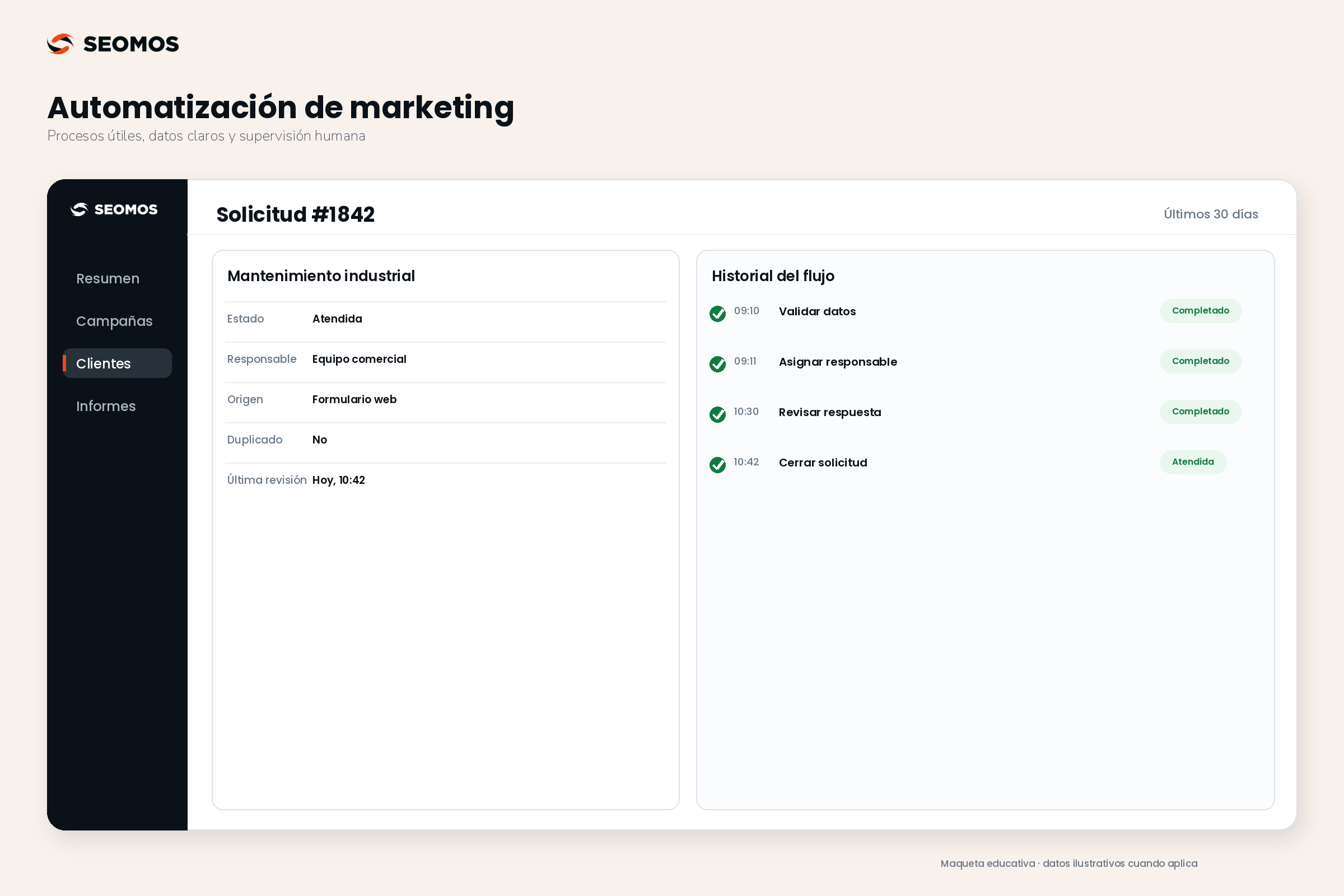
Hypothetical example: A fictional industrial maintenance company receives diagnostic requests. Some get lost because they end up in multiple inboxes. The initial goal is to ensure that each valid request has a designated person responsible, not to increase the number of marketing emails.
The workflow begins when a new request is confirmed. It checks the request identifier and the minimum required data. If the event is repeated due to a connection failure, it recognizes that it has already been processed and avoids creating another task. If essential information is missing, it escalates the case for review.
- Entrance: saved request with origin, date and service of interest.
- Assignment: responsible according to the service; if there is no match, review tray.
- Confirmation: relevant communication regarding the request, when appropriate and through the permitted channel.
- Revision: If there is still no attention within the agreed internal timeframe, I will notify the supervisor.
- Exit: attended, cancelled or closed; steps that no longer make sense are stopped.
If a person responds while waiting, the system must reassess the situation before proceeding. If a complaint is filed, the system should not maintain a promotional sequence regardless of that context. These decisions are documented, although the platform cannot resolve them all automatically.
The first version can only use rules. Later, an AI could propose a summary of the request to the responsible party, with human review. It is not given the authority to create budgets, commit to dates, or approve discounts.
How to measure if automation adds value
Measure the outcome of the process, the quality, and the cost of maintaining it. "One thousand actions performed" describes activity, but doesn't demonstrate improvement. Choose one KPI with objective and responsible party and accompany it with signs that reveal damage or errors.
| Dimension | Possible indicator | Caution |
|---|---|---|
| Attention | Valid applications processed within the agreed timeframe. | An automated response does not equate to resolving the request. |
| Quality | Duplicates, incorrect assignments, and cases without a responsible party. | Review samples, not just technically successful executions. |
| Communication | Cancellations, complaints and helpful answers. | More messages does not mean more interest. |
| Efficiency | Manual time avoided, less supervision and corrections. | Include flow maintenance. |
| Business | Advance to opportunity and client in a defined cohort. | Do not attribute every change to automation. |
Illustrative calculation: Processing 120 requests per month at 10 minutes each takes 20 hours. If the workflow allows for 4 minutes of manual work per request, that leaves 8 hours. The gross savings would be 12 hours; if monitoring and remediation require an additional 4 hours, the recovered capacity is 8 hours. You still need to consider configuration, licenses, and integrations to assess the total cost.
If sales increase, also review changes in product offerings, traffic, seasonality, and sales team. A before-and-after comparison helps to observe, but it doesn't isolate the cause on its own. To connect acquisition and profitability, consult the customer acquisition cost and the customer lifetime value with consistent periods.
Where does AI fit in, and where should human control be retained?
AI can support tasks that tolerate review: summarizing authoritative conversations, proposing message variations, or suggesting categories. These capabilities should be tested with representative examples, including ambiguous cases. A convincing text may contain incorrect information.
NIST proposes managing AI risks during its design, use, and evaluation through a voluntary framework. Source: AI Risk Management Framework. A practical approach for marketing is to start with drafts and recommendations, maintain approvals for sensitive commitments, and record what the person changed before using the output.
Define a review process for addressing uncertainty, complaints, or conflicting instructions. Don't just evaluate whether the message "sounds good": check the data, tone, privacy, and proposed action. If a task is reliably resolved with a rule, incorporating AI must justify what improvement it provides.
How to choose a tool without buying complexity
Compare the tools to a real workflow, not an abstract list of features. Ask which integrations work in your plan, what happens with retries, how errors are reviewed, who can modify rules, and how to export the information needed to switch providers.
Also, check limits on contacts, messages, and executions; implementation costs; support availability; and controls for preferences and opt-outs. Don't assume that two platforms with the word "automation" in the name cover the same process.
If you are evaluating SEOMOS AI CRM, The next step is to compare your workflow with the available features and integrations. You can Consult the scope with the team before committing to processes or results that have not yet been verified.
Frequently asked questions about marketing automation
Does marketing automation need artificial intelligence?
No. Events, conditions, and rules can solve many tasks. AI is optional and should provide a verifiable improvement, with controls appropriate to the risk of its use.
What is the difference between a CRM and automation?
CRM organizes information and tracks business relationships. Automation executes tasks based on rules and events. They can work together, but simply registering contacts doesn't mean all your processes are automated.
What should be automated in a small business?
A repetitive, low-risk task with an easily verifiable outcome, such as assigning requests or reminding the team to do their job. Start with an observed problem and a specific person responsible.
Is it possible to automate the tracking of any contact?
This should not be assumed. Review the origin, purpose, permissions, preferences, and conditions of the channel. Also, design the exit points for when the person responds, makes a purchase, or becomes ineligible for communication.
How do I prevent an automation from sending duplicate messages?
Identify requests and events, log which ones were processed, and check re-entry rules. Test retries and duplicates before activation. Exact configuration depends on the connected tools.
When can we say that automation works?
When it improves the agreed-upon outcome without compromising quality or user experience, and its maintenance cost is reasonable. The actions taken and emails sent are activity data, not sufficient proof.
Sources consulted
Editorial consultation: August 31, 2026. The design process, examples, and evaluation criteria are our own work.