
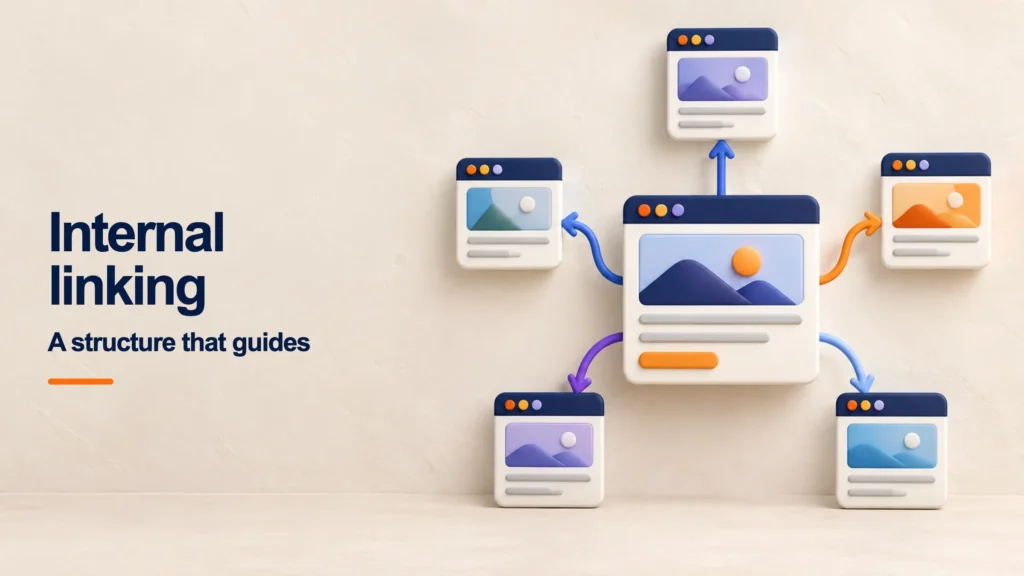
A website can contain excellent information and still be difficult to navigate. When pages are isolated, readers cannot find the next answer, crawlers may take longer to discover them, and the role of each URL becomes unclear. Internal linking turns those separate pages into a usable system.
This guide explains what internal linking is, how to plan an internal link strategy, how to choose anchor text, and how to audit the result. The goal is not to hit an arbitrary number of links. It is to build useful, crawlable paths that reflect the way people explore a topic.
What is internal linking?
Internal linking is the practice of linking one page to another page on the same domain. It includes navigation menus, breadcrumbs, categories, contextual links inside an article, related-content modules, and the connections between informational resources and commercial pages.
An internal link may help a visitor expand an idea, return to a category, compare options, or take the next action. It also helps search engines find URLs and interpret relationships among pages. Google's guidance on crawlable links recommends linking every page you care about from at least one other page and using concise, relevant anchor text.
Why is internal linking important for SEO?
- Discovery: it connects new or deep pages with URLs that crawlers already visit.
- Architecture: it clarifies which pages belong to a topic and which ones serve as primary resources.
- Orphan-page prevention: it brings useful URLs into a crawlable navigation path.
- User experience: it offers a relevant continuation without forcing visitors back to a menu or search box.
- Internal signals: it gives linked pages context and relative importance within the website.
- Business journeys: it can connect education to the appropriate service, product, or tool when the relationship is genuine.
Internal links do not guarantee rankings and cannot rescue an inadequate destination. They work as part of a coherent architecture: the linked page must satisfy its intent, and the link should make clear why visiting it is useful.
Internal linking, site architecture, and XML sitemaps
These concepts overlap, but they solve different problems. Site architecture you define how content is grouped and prioritized. Internal linking expresses part of that architecture through paths that users and crawlers can follow. An XML sitemap gives search engines a list of URLs the site considers relevant. A URL listed in a sitemap can still be orphaned if no crawlable document links to it.
Navigation and contextual links also have different roles. A menu creates global access to major sections, while a link inside a paragraph explains one specific editorial relationship. An important page may need both: a stable place in navigation and contextual links from pages that create a real reason to visit it.
| Element | Question it answers | Common mistake |
|---|---|---|
| Architecture | How are topics, levels, and page types organized? | Mirroring the company org chart instead of search and user needs. |
| Internal links | From which context can a visitor reach each page, and why? | Adding links for volume without a meaningful relationship. |
| XML sitemap | Which indexable URLs does the website want to declare? | Using the sitemap as a substitute for crawlable navigation. |
Types of internal links
| Type | Purpose | Example | Avoid |
|---|---|---|---|
| Main navigation | Provide access to priority areas | Services, resources, company, and contact | Turning the menu into a list of every URL |
| Breadcrumbs | Show the current place in a hierarchy | Home → Blog → SEO → Article | Inventing a hierarchy the site does not use |
| Contextual link | Expand an idea at the right moment | A keyword guide links to long-tail examples | Forcing an anchor or promising a different destination |
| Hub or category | Group resources around one problem | A pillar page connects cluster guides | Publishing unorganized lists with no editorial logic |
| Related content | Offer a sensitive next resource | An audit guide links to an explanation of a finding | Showing the same recommendations everywhere |
| Commercial link | Connect learning to an applicable solution | A technical guide links to a relevant service | Adding a sales CTA unrelated to the reader's intent |
How to build an internal linking strategy
1. Define priority pages and outcomes
Identify the URLs that should be easier to discover, understand, or visit. They may be categories, services, products, comparisons, research, or evergreen guides. Record the purpose, search intent, audience, and expected next action for each one.
Priority does not grant permission to link a URL from every page. Topical relevance and usefulness to the reader remain the primary filters.
2. Organize pillars and topic clusters
To find answers to a broad need and routes readers to specialized resources. Cluster pages address narrower questions and may return to the pillar when readers need the broader framework. Cluster pages can also link to one another when they answer consecutive questions.
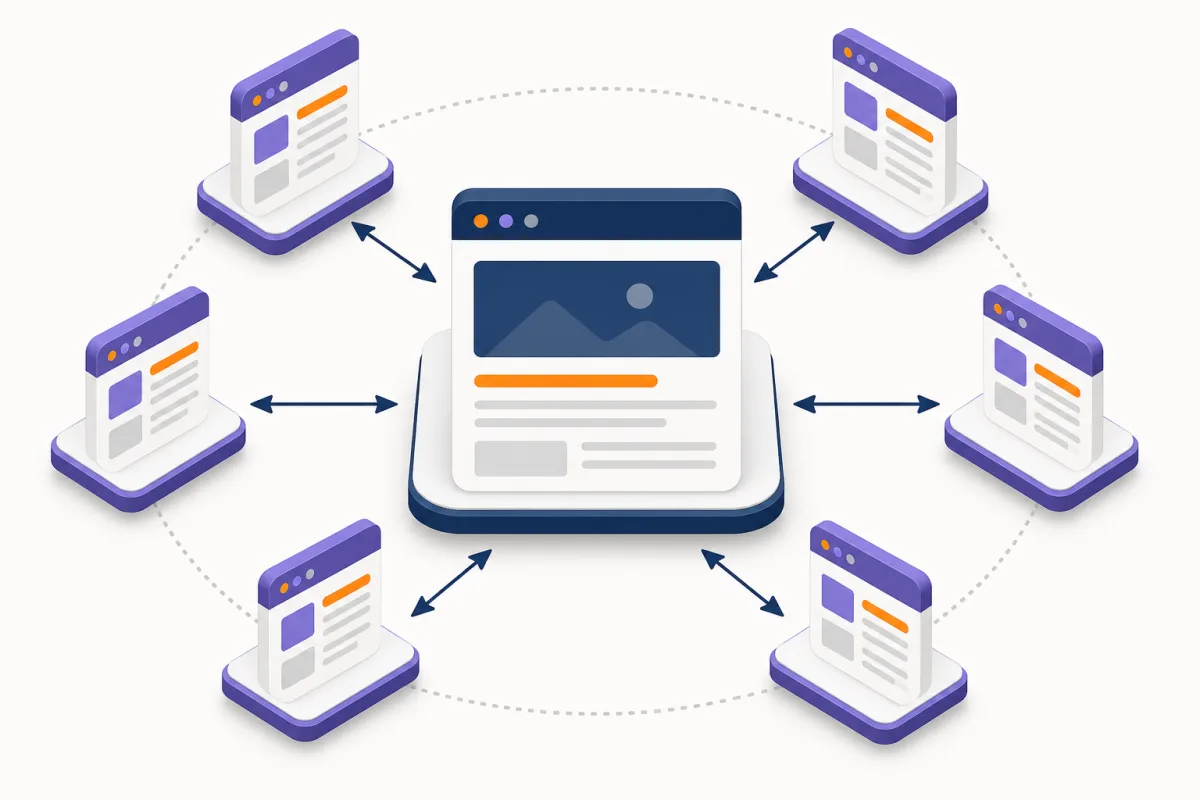
For example, a guide to keywords may link to examples of long-tail keywords. The second page may point back when it needs the complete research framework. Every page in a cluster does not need to link to every other page.
3. Reduce unnecessary click depth
Review how many clicks a visitor needs to reach a strategic page from the home page or main topic hub. A valuable URL should not depend on a long chain of categories, pagination, or filters. Hubs, breadcrumbs, navigation, and contextual links can shorten the path without flattening the whole site.
4. Use descriptive, natural anchors
The anchor should preview the destination. “How to evaluate domain authority” is more informative than “click here.” A target phrase can appear when it fits the sentence, but repeating the same exact-match anchor across the site makes copy mechanical and less clear.
5. Link where the need appears
A contextual link is most useful immediately after the text introduces a question the destination can expand, prove, or solve. The surrounding sentence should explain what the reader will gain. A related-reading block may complement this work, but it should not replace all editorial connections.
6. Update links when publishing or consolidating
Every new resource should enter the architecture from relevant existing pages. When you merge articles, update links to point directly to the final URL instead of relying on redirects. When you remove a page, replace or remove links according to the closest equivalent destination.
7. Match search intent and journey stage
Pages can share terminology without being useful destinations for each other. Label each URL as informational, comparative, transactional, local, or support-oriented. Then link when the destination answers the next likely question. A definition can lead to a method; a comparison can lead to a product; a service page can link to evidence or requirements that reduce uncertainty.
This avoids two extremes: clusters that trap readers in informational content and sales links that appear before visitors have enough context to evaluate a solution.
8. Select strong source pages
Do not select source pages only by traffic. A good source combines topical relevance, stability, crawlability, and a paragraph where the destination adds value. Search Console can identify URLs with impressions for related queries, a crawl can show pages near the destination, and analytics can reveal where an audience is likely to continue.
9. Verify the technical destination
Before inserting a link, confirm that the target returns 200, is indexable, declares the expected canonical, and can be reached without an interaction that hides the URL. Google can reliably process <a> elements with a resolvable href; a JavaScript-only button without a URL is not an equivalent implementation.
On multilingual sites, link to the language the person is reading and verify reciprocal hreflang. In ecommerce, prevent filters and parameters from multiplying equivalent targets. During migrations, replace old internal URLs even when a 301 is present.
10. Perform editorial QA and recrawl
Read the paragraph as a visitor: does the anchor preview the target, does the target add something, and does the link continue rather than interrupt the explanation? After publishing, recrawl the affected URLs and inspect rendered HTML. This catches broken targets, unexpected canonicals, and components that never produced a crawlable link.
How to choose internal link anchor text
Anchor text is not a slot for the same keyword on every page. Its main job is to describe the target in context. Natural variety appears because different source pages introduce the resource through different questions.
| Anchor type | Example | When it works |
|---|---|---|
| Descriptive | how to calculate customer acquisition cost | The destination explains that exact process. |
| Partial | metrics for evaluating a campaign | The surrounding text has already named the topic. |
| Entity or brand | Google Search Central documentation | The link cites a source, company, product, or person. |
| Natural title | long-tail keyword guide | The resource name helps the reader choose. |
| Generic with context | review the complete methodology | Only when the prior sentence makes the destination unambiguous. |
There is no universal percentage of exact-match, partial, branded, or generic anchors. Check instead whether one anchor points to competing answers, whether the same wording leads to conflicting destinations, and whether the sentence remains understandable to readers and assistive technology.
Example of an internal linking matrix
| Source page | Destination | Suggested anchor | Reason |
|---|---|---|---|
| Keyword guide | Long-tail guide | long-tail keyword examples | Expand into more specific queries |
| How to create a website | Internal linking guide | internal link architecture | Plan how pages will connect |
| Internal linking guide | SEO service | SEO strategy for the website | Present implementation help when relevant |
| Link audit | Backlink guide | evaluate backlinks and referring domains | Separate external analysis from internal analysis |
A matrix is a planning tool, not proof of improvement. A working version should include exact URLs, the paragraph where each link belongs, an owner, status, and review date.
Practical example for a service company
Imagine a business with an SEO service page, an audit landing page, and articles about keywords, domain authority, internal links, and backlinks. The goal should not be to send every article to the service page with the anchor “SEO agency.” A more useful path works as follows:
- The keyword guide explains research and links to the long-tail guide.
- The long-tail guide returns to the general framework only where context is needed.
- The internal linking article points to the audit when discussing orphan pages, depth, or technical errors.
- The backlink guide connects to domain authority to distinguish third-party metrics from editorial evaluation.
- Articles introduce the service when the reader understands the problem and may need implementation.
- The service page links back to evidence, methodology, and resources that answer common objections.
This creates paths in both directions: from learning to a solution and from a solution to evidence. It also allows the company to measure which resources assist an inquiry instead of valuing internal linking only by link count.
Internal linking by website type
Blogs and publishers
Build hubs around stable problems, link to background material only when needed, and update historical articles when a more specific answer is published. Automated recommendations based only on tags often connect pages that share a category but do not answer consecutive questions.
Ecommerce
The hierarchy commonly links categories, subcategories, product pages, buying guides, and comparisons. Prioritize indexable categories, available products, and decision-support content. Control filters, variants, pagination, and discontinued products so links do not concentrate on duplicated or empty combinations.
Services and local SEO
Connect services, industries, locations, cases, and resources without repeating blocks of city names. A local landing page should demonstrate unique coverage and usefulness. Linking it everywhere simply because it contains a city name creates a forced experience.
SaaS and help centers
Connect product pages to documentation, integrations, use cases, and troubleshooting. Support guides need a clear next step and a route to the feature they explain, but aggressive sales content should not make the issue difficult to solve.
Common internal linking mistakes
- Linking every page to every other page without a useful relationship.
- Repeating the same exact-match anchor mechanically.
- Leaving important pages available only through the XML sitemap.
- Sending internal links through redirects, 404s, or a different canonical.
- Building navigation with elements that do not contain a crawlable
href. - Using automated related-content blocks that ignore relevance.
- Linking a commercial page from every paragraph regardless of intent.
- Keeping links to consolidated URLs instead of updating the final target.
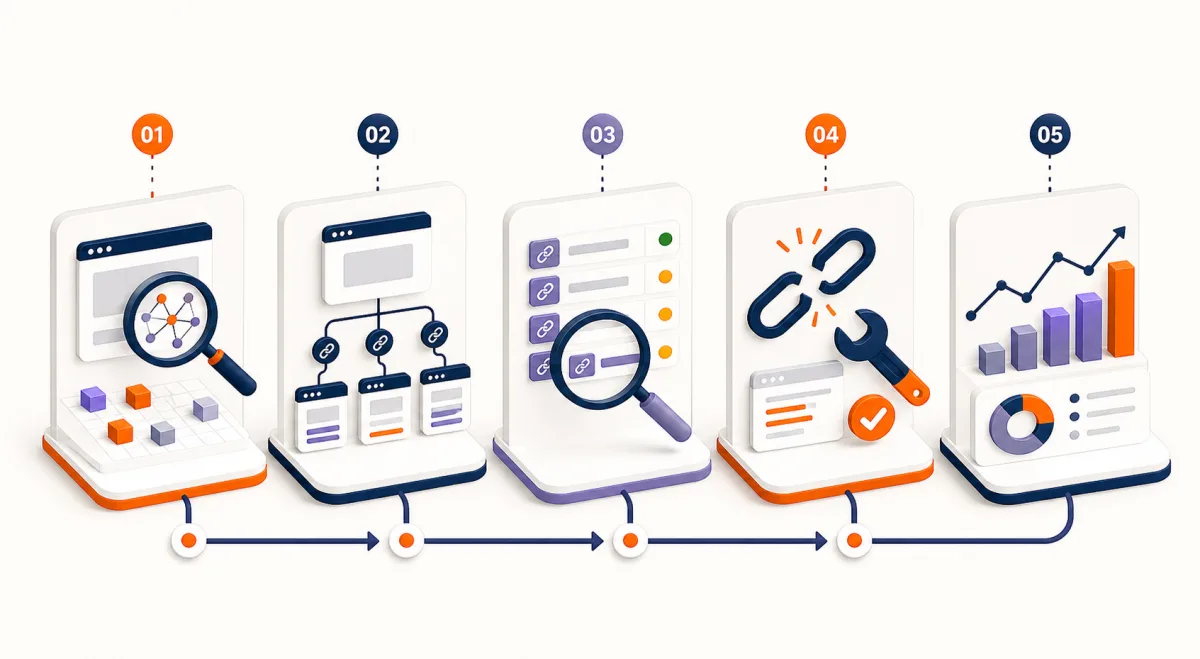
How to audit internal links
- Crawl the website to collect URLs, status codes, canonicals, depth, inlinks, and outlinks.
- Compare crawl data with analytics and Search Console to find important pages that receive demand but remain poorly connected.
- Identify orphan pages by comparing the crawl with sitemaps, CMS exports, and traffic sources.
- Review anchors and context on pages with many links and on links to priority destinations.
- Set targets that return 3xx or 4xx responses, duplicate another page, or declare another canonical.
- Prioritize according to user impact, destination value, reach, and implementation effort.
- Recrawl to confirm new connections are visible and reach an indexable document.
How to prioritize audit findings
A crawl may generate thousands of opportunities. Give every issue four practical variables: destination importance, severity, reach, and effort. An orphaned service page with demonstrated demand usually deserves attention before the third rewrite of an anchor on a page with no strategic purpose.
| Finding | Likely impact | Recommended action |
|---|---|---|
| Priority orphan page | High: difficult to discover and outside the journey | Integrate it from a hub and genuinely related content. |
| Internal links to 404s | High: breaks navigation and discards context | Replace with the equivalent, restore, or remove. |
| Redirect chain | Medium: preserves obsolete targets and extra hops | Link directly to the final URL. |
| Deep strategic page | Medium or high depending on its role | Move it closer through a hub, breadcrumb, or context. |
| Vague anchor | Variable: mainly affects clarity | Rewrite within the sentence without forcing keywords. |
| Repeated sitewide links | Variable: adds noise to user decisions | Remove repetition that creates no new path. |
Metrics for evaluating internal linking
- Priority pages that receive at least one crawlable internal link.
- Click depth from the home page or relevant topic hub.
- Orphan pages identified and resolved.
- Internal links to 3xx and 4xx responses.
- Clicks on contextual links and continued navigation.
- Impressions, clicks, and queries for affected URLs.
- Conversions or assisted actions within the journey.
Do not attribute every ranking change to internal links. Document the implementation date, affected URLs, and other changes so the trend can be interpreted in context.
A 30, 60, and 90-day internal linking plan
First 30 days: create the inventory, validate indexability, find orphan pages, broken links, redirects, and priority targets. Fix issues that prevent visitors from reaching useful content.
Days 31–60: design hubs and clusters, map intent, improve anchors, and connect established content to newer resources. Configure analytics events for contextual links or CTAs that represent an important next step.
Days 61–90: recrawl, review clicks, impressions, landing pages, and assisted conversions. Keep paths that improve the journey, review ignored connections, and document an editorial rule so future pages launch already integrated.
The timeline organizes implementation and measurement; it does not promise ranking movement. Search engines need to recrawl changed pages, while content, competition, and demand may change during the same period.
Internal links and backlinks: how they work together
Internal linking organizes relationships within the site; Backlink building earns links from other domains. A backlink may bring discovery and referral traffic to a guide, while internal links allow that audience to continue to related resources and relevant solutions.
They complement one another but require different planning and measurement. For external authority work, read the guide to earning and evaluating quality backlinks.
Frequently asked questions about internal linking
What is internal linking in SEO?
It is the planning of links between pages on the same domain to improve navigation, discovery, and understanding of site architecture and topical relationships.
How many internal links should a page have?
There is no universal number. Include links that help readers continue or expand the answer without adding irrelevant destinations or overwhelming the content.
What anchor text should I use?
Use concise, descriptive, natural wording that previews the target. A keyword can appear when it fits, but it should not be forced into every link.
What is an orphan page?
It is a URL with no crawlable internal links pointing to it. It may appear in a sitemap, but it still needs to be integrated, consolidated, or retired correctly.
Do navigation links count as internal links?
Yes. Navigation is part of the internal link system, although it serves a different purpose from a contextual link inside a paragraph.
Can internal linking improve rankings?
It can help search engines discover and understand pages, but it cannot guarantee rankings. The destination must also satisfy intent and be technically accessible.
Can a page in the XML sitemap still be orphaned?
Yes. The sitemap declares a URL but does not create a navigation path. The page needs at least one relevant, crawlable internal link to stop being orphaned.
Should I always link from the page with the most traffic?
No. Traffic may help identify a source, but topical fit, paragraph context, and the usefulness of the destination matter more.
Should internal links use nofollow?
Not as a routine method for shaping architecture. If a page should not be crawled or indexed, solve that requirement with the appropriate technical control rather than artificial link sculpting.
Conclusion
A strong internal linking strategy turns a collection of pages into an understandable system. Define priorities, connect consecutive questions, use clear anchors, and confirm that every link reaches a useful, indexable destination.
Start with orphan pages and broken targets, then strengthen the topic clusters that support business outcomes. If you need to turn a site inventory into a prioritized architecture and implementation plan, explore our SEO services.